

Only a user’s primary email is used to enrich the CRM. Secondary and tertiary emails are not part of the CRM.
You can also work with our CRM through Macro’s MCP server. To connect it, go to Settings → MCP server.
Tied into your email client
Macro CRM is deeply integrated with the Macro Mail client. It works with your existing email to enrich company properties with contacts and previous communications.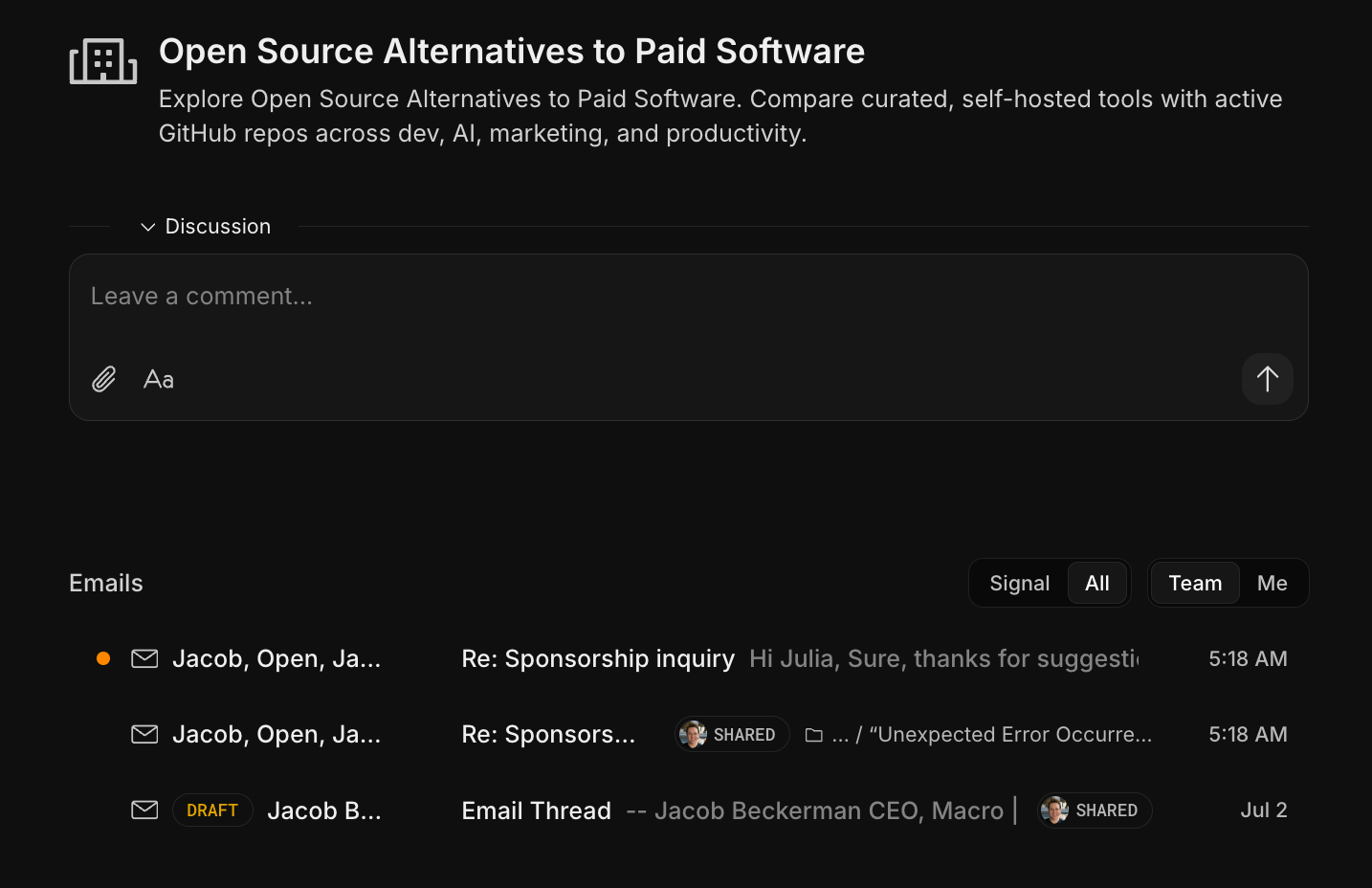
Discussions
Every company and contact record has its own discussion thread. The CRM discussion should be used as a record of notes for that company so your team doesn’t lose information in a separate chat. @mention a teammate and they’ll receive a notification just like in a channel, and it all lands in the same inbox as the rest of your work. The discussion is ingested by team-level memory and can be queried with the Macro agent.@mentionable anywhere
@mention things everywhere — docs, tasks, etc. When a company is @mentioned in a Macro chat all its information is automatically shared to anyone in that channel, including past emails, discussion posts, and contacts.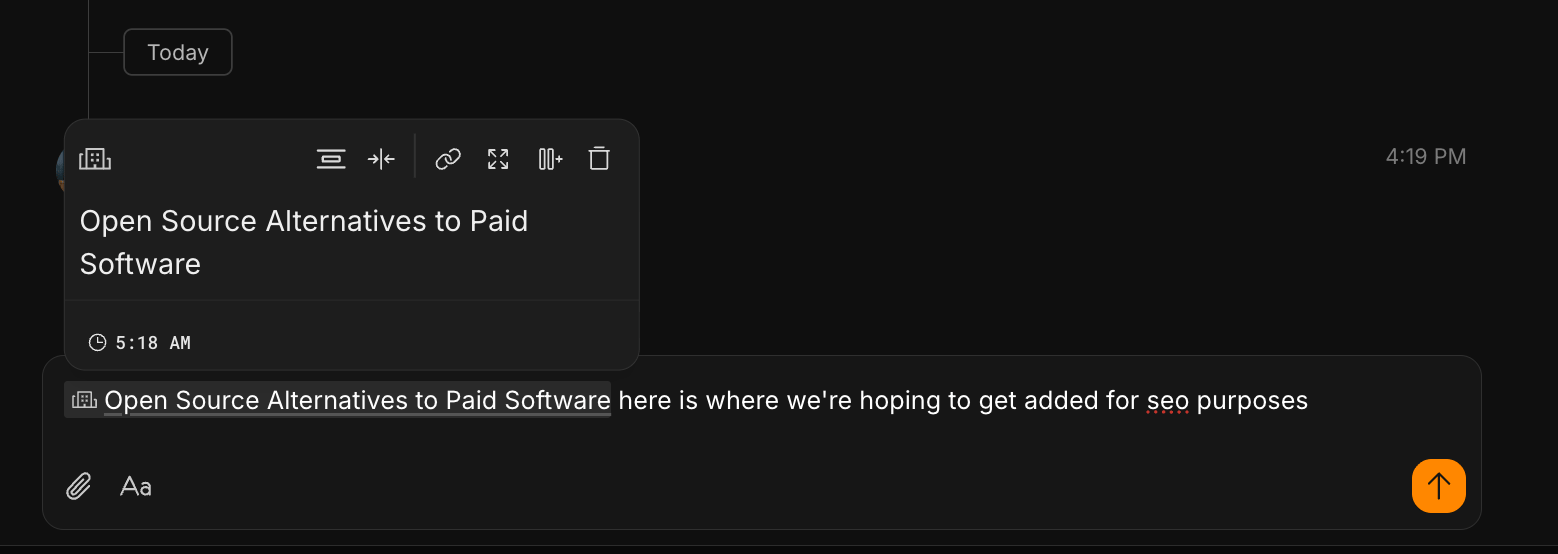
Board and list views
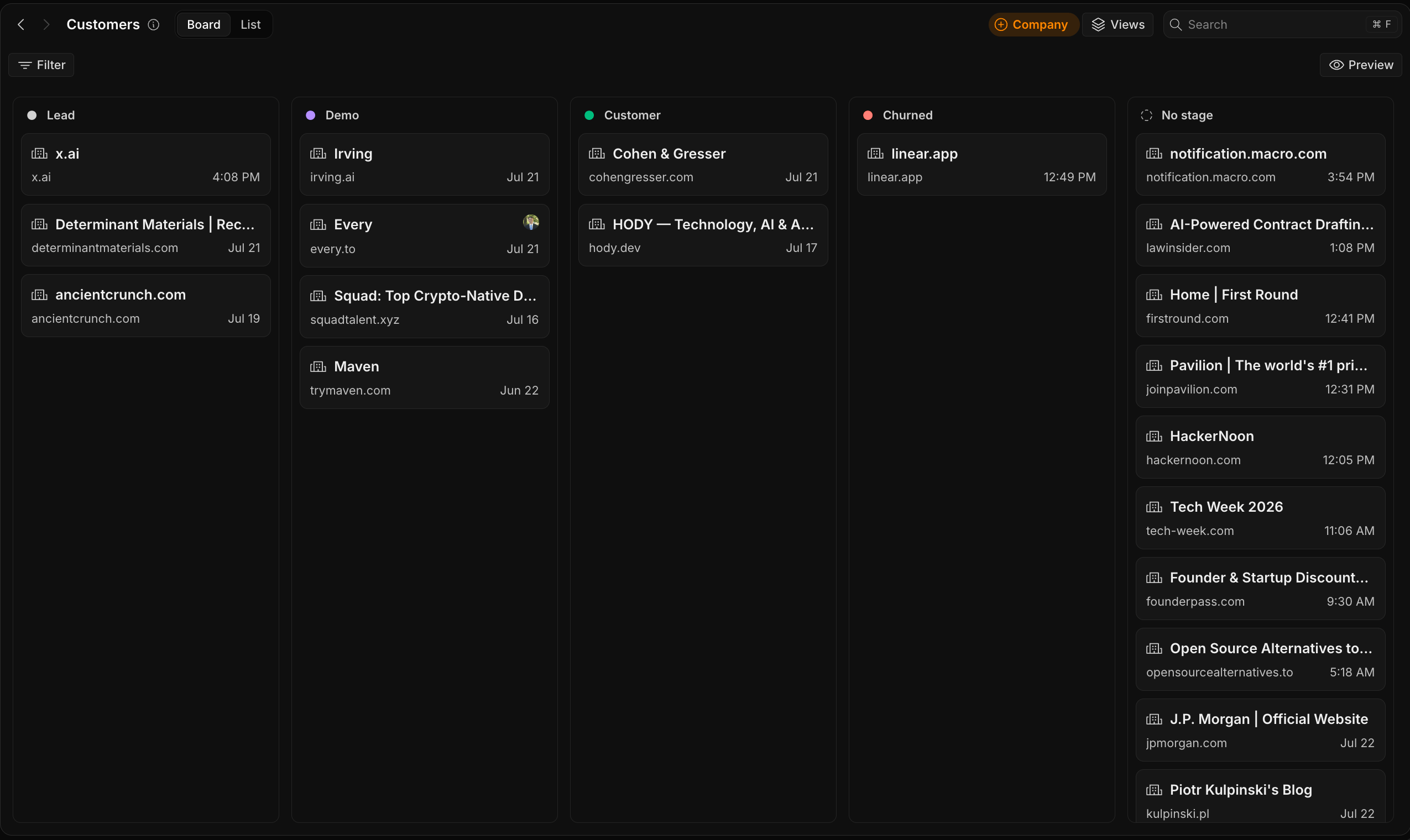
On desktop, the board is the default view when you open Customers (g + o): every company appears as a card in the column for its current stage, and you drag a card to a new column to move it through your pipeline. Each column header is a stage: Lead
Demo
Customer
Churned
No stage, for companies that haven’t been placed in your pipeline yet
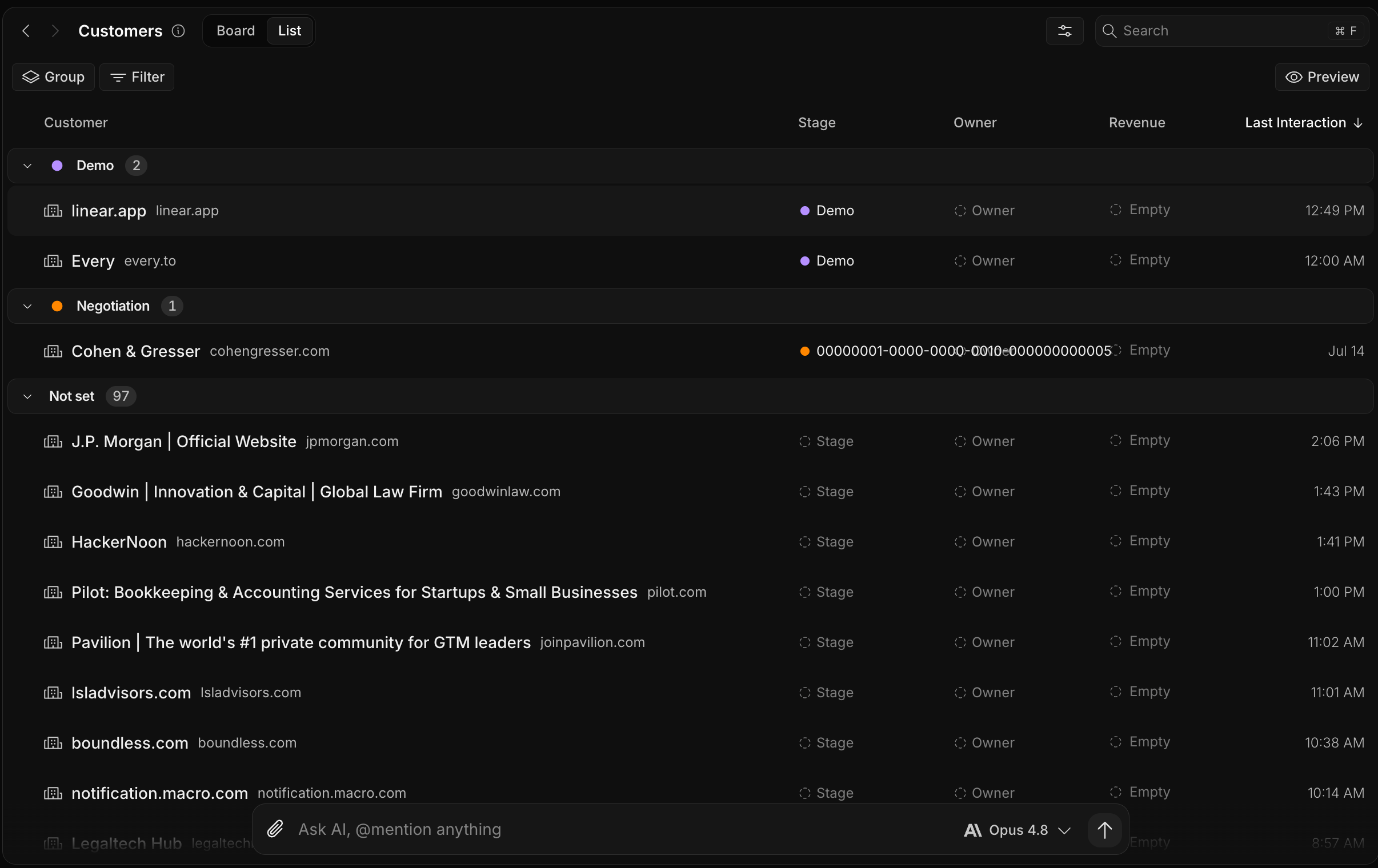
Stage — where the company sits in your pipeline (Lead through Churned, or No stage)
Owner — the teammate responsible for the account
Revenue — the value you attach to the account
Last Interaction — the most recent synced email
Have CRM in Macro but can’t see your leads? It needs to be enabled for your team — turn it on in your team settings, or contact your team admin to enable it.
Records build themselves
When someone on your team emails an external contact, Macro creates a contact record for them and groups contacts into companies by email domain (everyone@acme.com rolls up to one Acme record). Each contact tracks its first and last interaction, so you can see the full history of a relationship at a glance. Generic tool and vendor domains are filtered out.
Team sharing
CRM is best used as a team feature, and it’s where Macro’s email auto-sharing lives. When Email Sync is on for a company, your team’s email threads with that company become visible to teammates in the CRM, so nobody has to forward a thread just to share context. Turning it off for a company keeps the record but makes its threads private to their participants. Team admins can also hide a company or contact entirely, which removes it (and its threads) from the team’s view. Members see visible records; admins and owners can edit records, toggle Email Sync, and manage hidden ones.Sharing of CRM records is determined by your team, not by mentions: @mentioning a company or contact in a channel does not share it, unlike documents. See Mentions.