> ## Documentation Index
> Fetch the complete documentation index at: https://docs.macro.com/llms.txt
> Use this file to discover all available pages before exploring further.
# GitHub
> Link pull requests to tasks and let task statuses update themselves as you ship.
Macro integrates with GitHub so your tasks stay in sync with the code that closes them. To connect, link your GitHub account in **Settings** under **Account**.
### Tasks that track your PRs
Create a branch for a task and Macro keeps the task's status up to date automatically: **In Progress** when you create the branch, **In Review** when you open the pull request, and **Done** when it merges.
> With a task selected, press shift+cmd+b to copy a branch name for it.
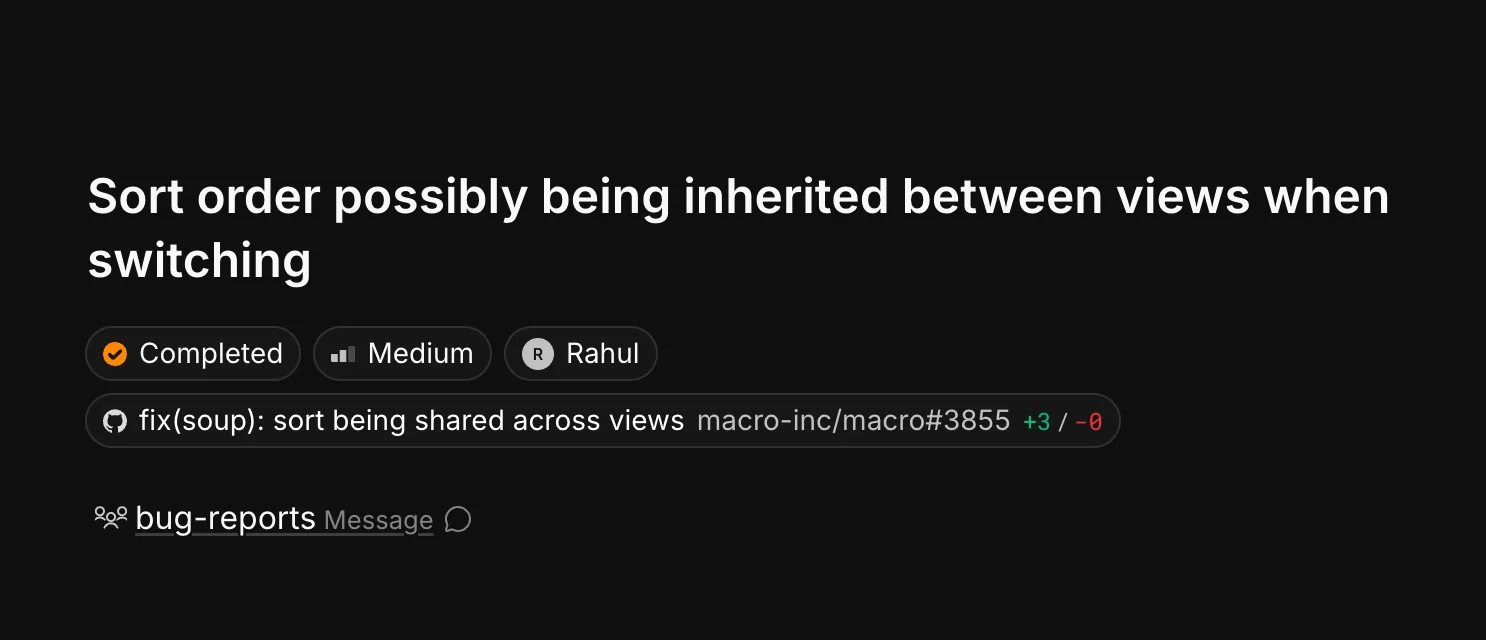
The linked pull request appears directly on the task with its title, PR number, and diff size, so anyone looking at the task can jump straight to the code:
 Every linked PR is also listed in the **GitHub** section of the task's properties panel:
 Pull requests are blocks like everything else in Macro: you can @mention them in channels and docs, and agents can read them for context. See [Tasks](/product/tasks) for more on how tasks work.