> ## Documentation Index
> Fetch the complete documentation index at: https://docs.macro.com/llms.txt
> Use this file to discover all available pages before exploring further.
# Properties
> Attach structured fields to documents, tasks, emails, and CRM records with one shared system.
Macro uses properties to attach structured data to any *entity* (email, task, doc, CRM record, etc.). The properties system is unified across blocks, so you can organize different content types using the same fields, or create different fields for different content types. Tasks and CRM obviously have very different sensible properties, but the concepts are the same and the UI is shared, so teams can work together effectively.
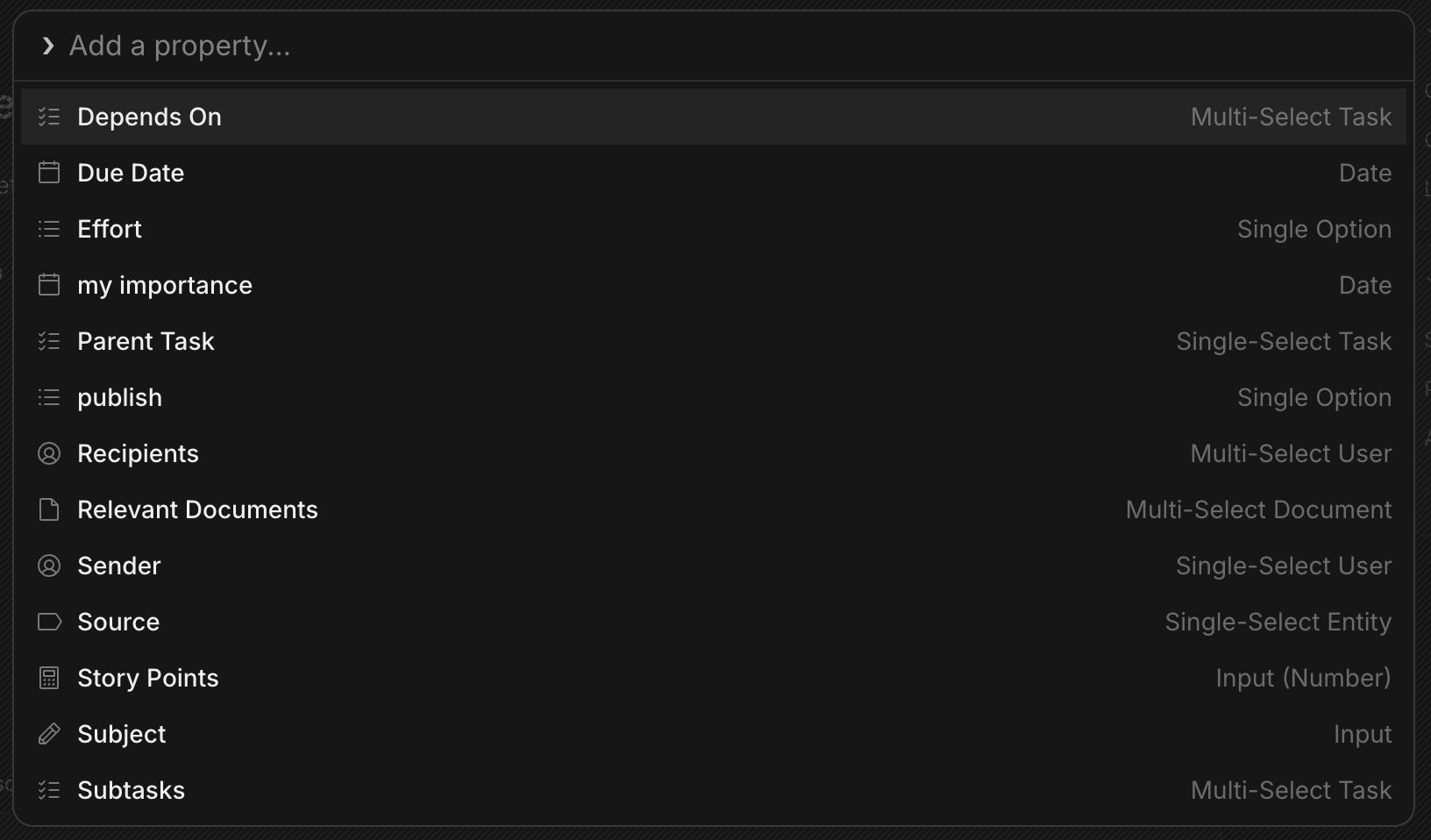
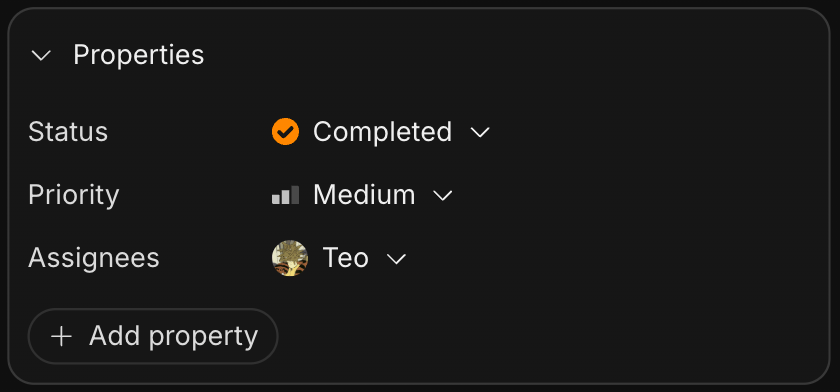 On tasks, the default properties of Status, Priority, and Assignees are visible in this card to the right of the task. To add additional properties click `Add property`.
 ## Supported types
Every entity that supports properties supports the same data types:
* **STRING** (text): phone, job title, department, notes.
* **NUMBER**: revenue, employee count, ARR.
* **BOOLEAN**: toggles.
* **DATE**: last contacted, contract/renewal date.
* **SELECT\_STRING**: single/multi-select with string options (custom option colors/icons).
* **SELECT\_NUMBER**: single/multi-select with numeric options.
* **ENTITY**: a reference to another entity (User, Company, Contact, Document, Project, Channel, Chat, Task, Thread).
* **LINK**: URLs (website, LinkedIn, etc.).
## System vs. custom
A property is either **system** (built in and non-removable, like a task's Status) or **custom** (something you add). Properties can also be flagged as **metadata**, which keeps them out of the main views. There are three editors: inline (click-to-edit in a list or pill), popover (a focused dialog), and modal (batch editing across several fields).
## Pinned properties
You can pin properties to show them in the card on the right, or in the unified list. If a property is more like hidden metadata that you don't need to see, leave it hidden. Otherwise, pin it. Each block type has its own defaults. For example, tasks pin **Status**, **Priority**, and **Assignees** out of the box.
## Built-in fields by block
Some blocks ship with their own system properties:
* **Tasks**: Status, Priority, Assignees, Due Date, Parent Task / Subtasks, Depends On, Effort, Story Points, and Relevant Documents. See [Tasks](/product/tasks).
* **Documents**: Owner, Folder, Created and Updated timestamps, plus assignable fields like a linked Task and urgency. See [Documents](/product/docs).
* **CRM companies (Customers)**: Stage (Lead, Qualified, Demo, Trial, Negotiation, Customer, Churned), Owner (a person on your team), and Revenue, plus a Last Interaction timestamp that updates automatically from synced workspace emails.
* **CRM contacts & companies**: Email, Name, Company, interaction timestamps, Domains, Email Sync, and more.
## Agent access
Agents read and write properties through the MCP entity tools: `GetEntityProperties` to read, `SetEntityProperty` to update (status, assignee, dates, custom fields), and `ListEntities` to browse. See the [tool reference](/AI/mcp/tools/index).
## Supported types
Every entity that supports properties supports the same data types:
* **STRING** (text): phone, job title, department, notes.
* **NUMBER**: revenue, employee count, ARR.
* **BOOLEAN**: toggles.
* **DATE**: last contacted, contract/renewal date.
* **SELECT\_STRING**: single/multi-select with string options (custom option colors/icons).
* **SELECT\_NUMBER**: single/multi-select with numeric options.
* **ENTITY**: a reference to another entity (User, Company, Contact, Document, Project, Channel, Chat, Task, Thread).
* **LINK**: URLs (website, LinkedIn, etc.).
## System vs. custom
A property is either **system** (built in and non-removable, like a task's Status) or **custom** (something you add). Properties can also be flagged as **metadata**, which keeps them out of the main views. There are three editors: inline (click-to-edit in a list or pill), popover (a focused dialog), and modal (batch editing across several fields).
## Pinned properties
You can pin properties to show them in the card on the right, or in the unified list. If a property is more like hidden metadata that you don't need to see, leave it hidden. Otherwise, pin it. Each block type has its own defaults. For example, tasks pin **Status**, **Priority**, and **Assignees** out of the box.
## Built-in fields by block
Some blocks ship with their own system properties:
* **Tasks**: Status, Priority, Assignees, Due Date, Parent Task / Subtasks, Depends On, Effort, Story Points, and Relevant Documents. See [Tasks](/product/tasks).
* **Documents**: Owner, Folder, Created and Updated timestamps, plus assignable fields like a linked Task and urgency. See [Documents](/product/docs).
* **CRM companies (Customers)**: Stage (Lead, Qualified, Demo, Trial, Negotiation, Customer, Churned), Owner (a person on your team), and Revenue, plus a Last Interaction timestamp that updates automatically from synced workspace emails.
* **CRM contacts & companies**: Email, Name, Company, interaction timestamps, Domains, Email Sync, and more.
## Agent access
Agents read and write properties through the MCP entity tools: `GetEntityProperties` to read, `SetEntityProperty` to update (status, assignee, dates, custom fields), and `ListEntities` to browse. See the [tool reference](/AI/mcp/tools/index).