> ## Documentation Index
> Fetch the complete documentation index at: https://docs.macro.com/llms.txt
> Use this file to discover all available pages before exploring further.
# Get the App
## Web
Macro runs in any modern browser at [macro.com](https://macro.com), with no install required. Desktop is the full Macro experience: the keyboard-driven workflow, and a built-in window manager that lets you multi-task in [splits](/concepts/blocks#splits) inside a single tab, so Macro can replace a pile of browser tabs.
## iOS
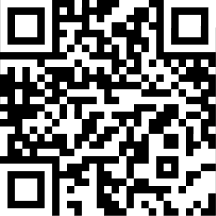 The Macro iOS app is on the [App Store](https://apps.apple.com/us/app/macro-app/id6743133649). It connects to the same workspace: inbox, email, channels, tasks, docs, and agents on your phone. You can also grab it from **Settings → Mobile App** in the web app, which shows a QR code.
A few things stay desktop-only by design:
* **Splits**: the side-by-side window manager needs screen width; on mobile you work one block at a time.
* **Keyboard shortcuts**: the c launcher and j/k navigation are desktop features.
* **Some settings**: managing email inboxes and connectors is done from desktop.
## Android
An Android app isn't available yet.
Self-hosters: the hosted version of Macro is the one with Apple, Google Mail, and GitHub approvals. See the [FAQ](/faq) for what that means for your own deployment.
The Macro iOS app is on the [App Store](https://apps.apple.com/us/app/macro-app/id6743133649). It connects to the same workspace: inbox, email, channels, tasks, docs, and agents on your phone. You can also grab it from **Settings → Mobile App** in the web app, which shows a QR code.
A few things stay desktop-only by design:
* **Splits**: the side-by-side window manager needs screen width; on mobile you work one block at a time.
* **Keyboard shortcuts**: the c launcher and j/k navigation are desktop features.
* **Some settings**: managing email inboxes and connectors is done from desktop.
## Android
An Android app isn't available yet.
Self-hosters: the hosted version of Macro is the one with Apple, Google Mail, and GitHub approvals. See the [FAQ](/faq) for what that means for your own deployment.